Use a clear protector that names the S26 Ultra and says it supports the ultrasonic fingerprint sensor. Don't buy a privacy protector: Samsung's own support page tells S26 Ultra owners to avoid third-party privacy protectors because the built-in Privacy Display does that job. Re-register your fingerprints after fitting.
What's different about the S26 Ultra's screen
| Galaxy S26 Ultra | |
|---|---|
| Display | 6.9-inch Dynamic LTPO AMOLED 2X |
| Front glass | Corning Gorilla Armor 2 (anti-reflective) |
| Privacy | Built-in Privacy Display |
| Fingerprint | Ultrasonic, under the display |
| Height × width × depth | 163.6 × 78.1 × 7.9 mm |
| On sale | March 2026 |
Skip the privacy protector
Privacy Display narrows the screen's viewing angle at pixel level, so people beside you can't read it. You can turn it on for particular apps or parts of the screen. A traditional privacy protector does the same thing with a louvred filter that is always on and always dims the display. Samsung's support page is direct about it: avoid third-party privacy screen protectors, as they may reduce brightness. Putting a filter on top of Privacy Display just makes a dim screen dimmer.
How to use it instead: swipe down to open the Quick Panel and tap Privacy display, or go to Settings → Display → Privacy Display.
Glossy glass partly undoes the anti-reflective front
Gorilla Armor 2 is designed to cut reflections. A standard glossy protector puts a reflective surface back on top of it, so in sunlight the screen will look shinier than it did out of the box. You have three reasonable choices:
- Accept it. Clear glass still protects against scratches and scuffs, and many people don't notice the difference indoors.
- Buy an anti-reflective protector. Samsung sells its own anti-reflecting film for the S26 Ultra, and some third-party glass has an AR coating. Expect to pay more.
- Go without and use a case with a raised lip. Gorilla Armor 2 is one of the tougher phone cover glasses, so this is more defensible on the S26 Ultra than on most phones.
What to buy

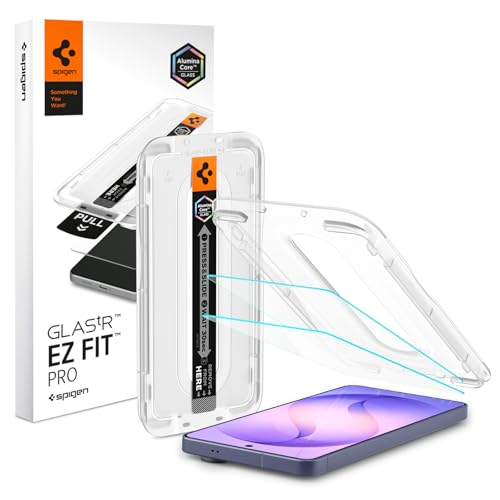
Getting the fingerprint sensor right
The S26 Ultra reads your fingerprint with ultrasound sent through the glass. Any protector adds a layer the sensor has to see through, and air gaps or glue that hasn't spread evenly scatter the signal. Most "fingerprint doesn't work" complaints are fixed with these steps:
- Fit the protector and press out any air from the centre towards the edges.
- Go to Settings → Security and privacy → Biometrics → Fingerprints and delete your saved prints.
- Register them again through the protector. The ultrasonic sensor then learns what your finger looks like through the extra layer.
- If unlocking is still slow, turn on Settings → Display → Touch sensitivity.
If it still fails after that, the protector's adhesive probably doesn't cover the whole sensor area evenly. Some cheap glass only has adhesive round the edges. Replace it with full-adhesive glass. See fingerprint not working after a protector.
Will S25 Ultra protectors fit?
Don't count on it. The S26 Ultra's body (163.6 × 78.1 mm) is a different size from the S25 Ultra's, so older glass will sit off-centre or leave exposed edges. Buy S26 Ultra-specific glass. The S25 Ultra guide covers the older phone.
S26 Ultra protectors
Search results for clear glass and film listed for the Galaxy S26 Ultra.
Search Amazon for this →Questions people ask
Can I use a privacy screen protector on the Galaxy S26 Ultra?
You can, but Samsung advises against it. The phone has a built-in Privacy Display, and a third-party privacy protector adds a permanent brightness loss on top. Use clear glass and switch on Privacy Display when you need it.
Why is my S26 Ultra screen more reflective with a protector?
Its Gorilla Armor 2 front glass is anti-reflective. Standard glossy protectors add a shiny layer on top. An anti-reflective film or AR-coated glass avoids most of that.
Does a screen protector stop the S26 Ultra fingerprint sensor working?
A good one shouldn't. Delete and re-register your fingerprints after fitting, and turn on Touch sensitivity if needed. If it still struggles, the protector probably has patchy adhesive over the sensor.
Sources
Facts on this page were checked against these sources on 14 September 2026: